
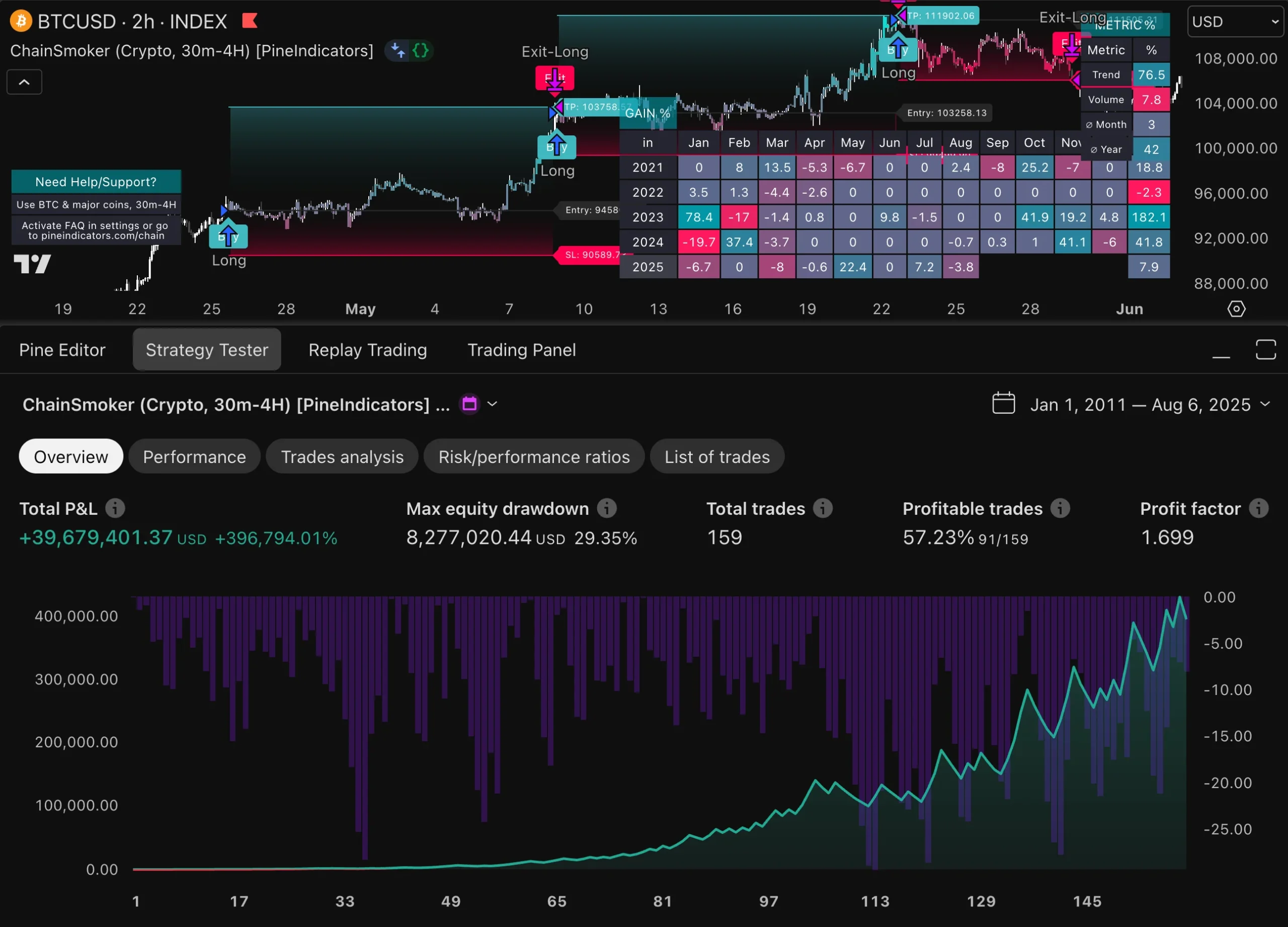
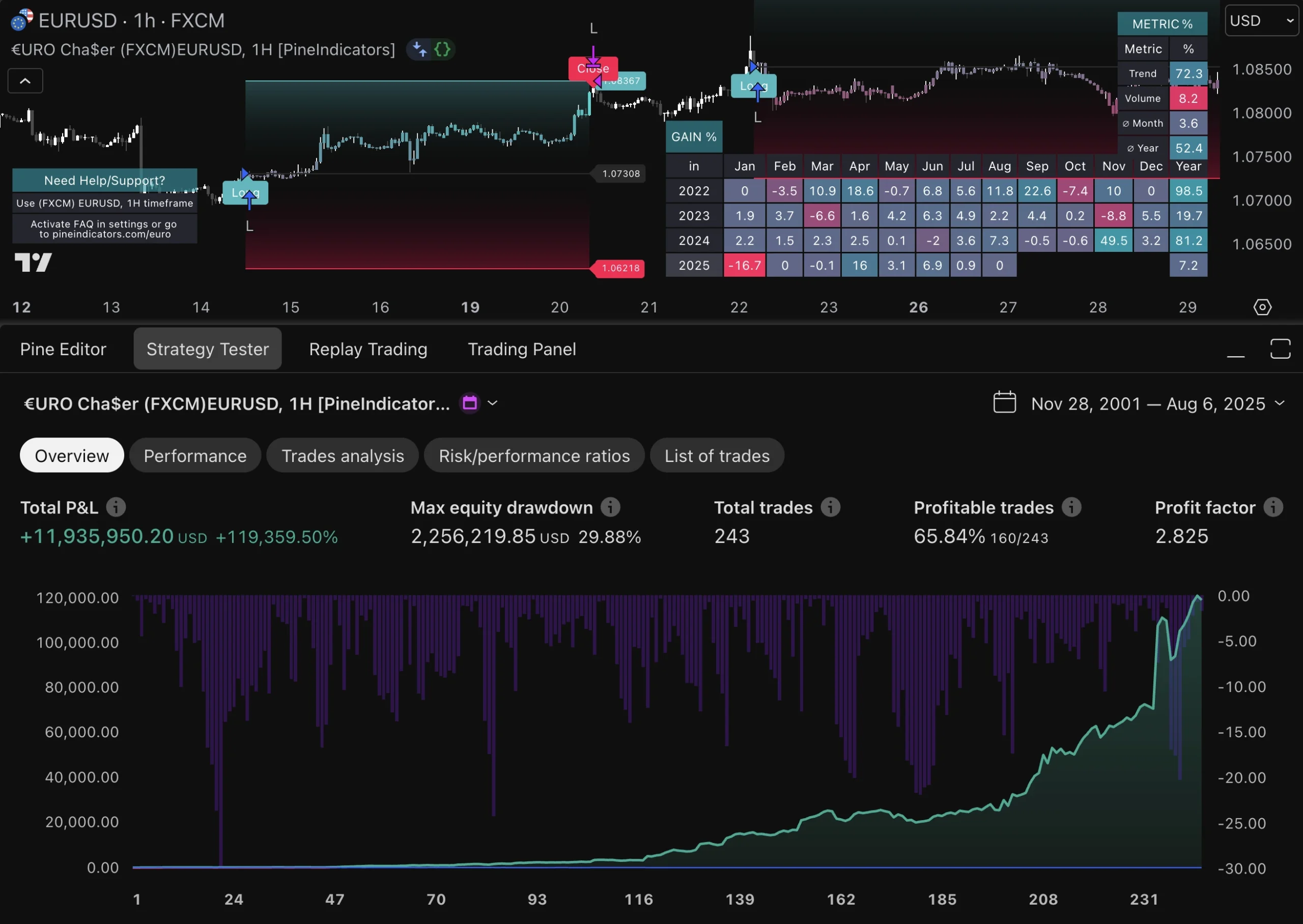
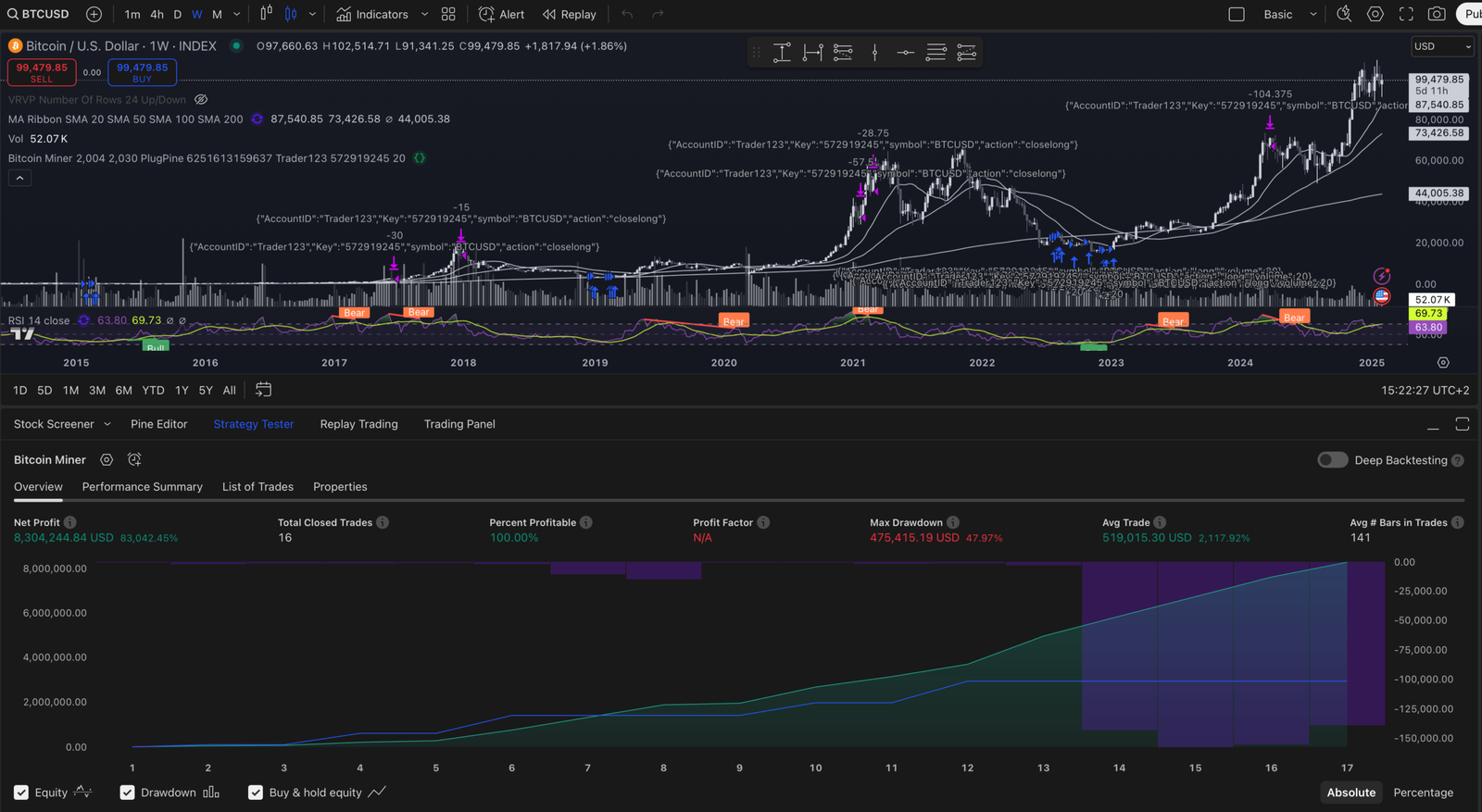
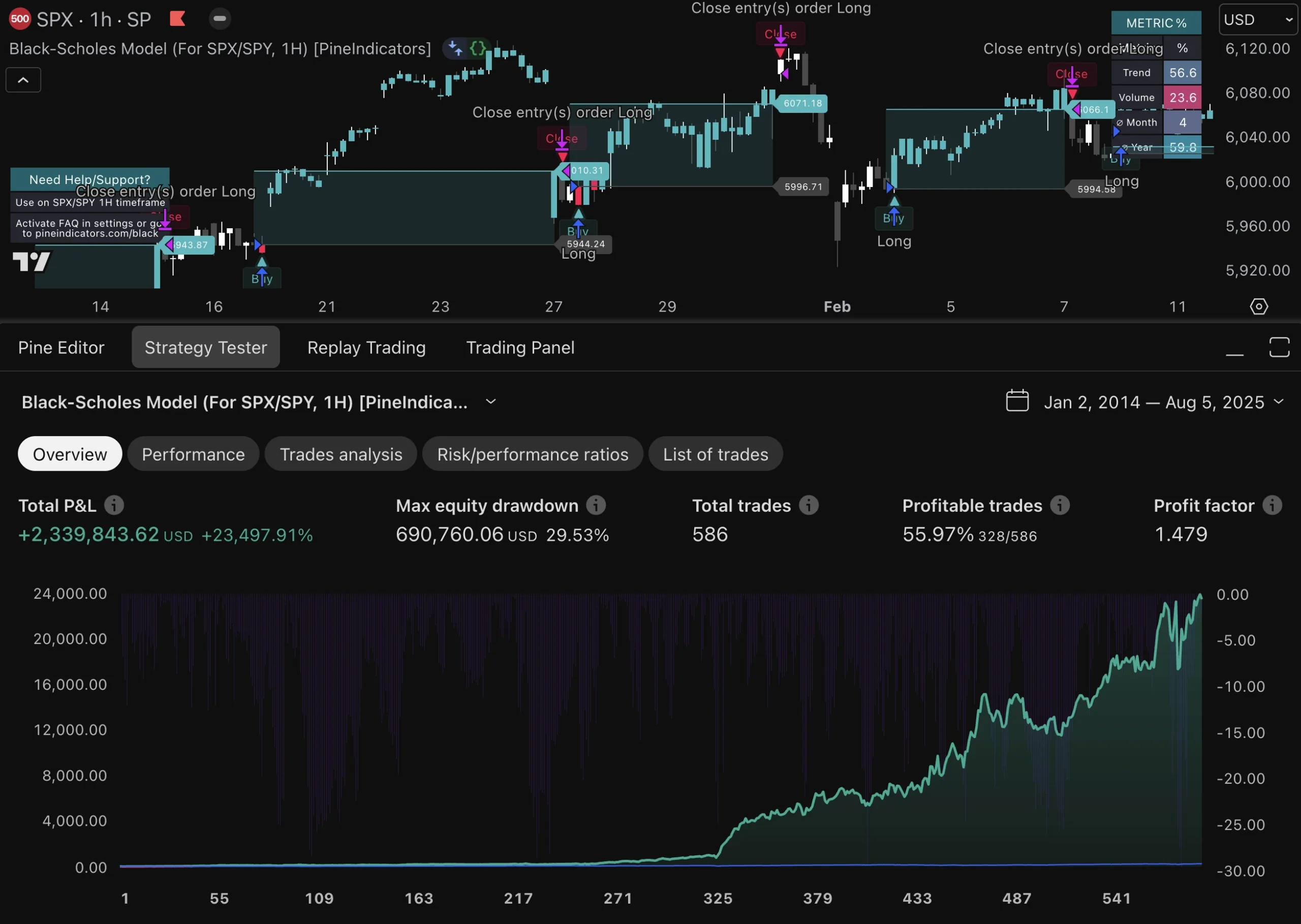
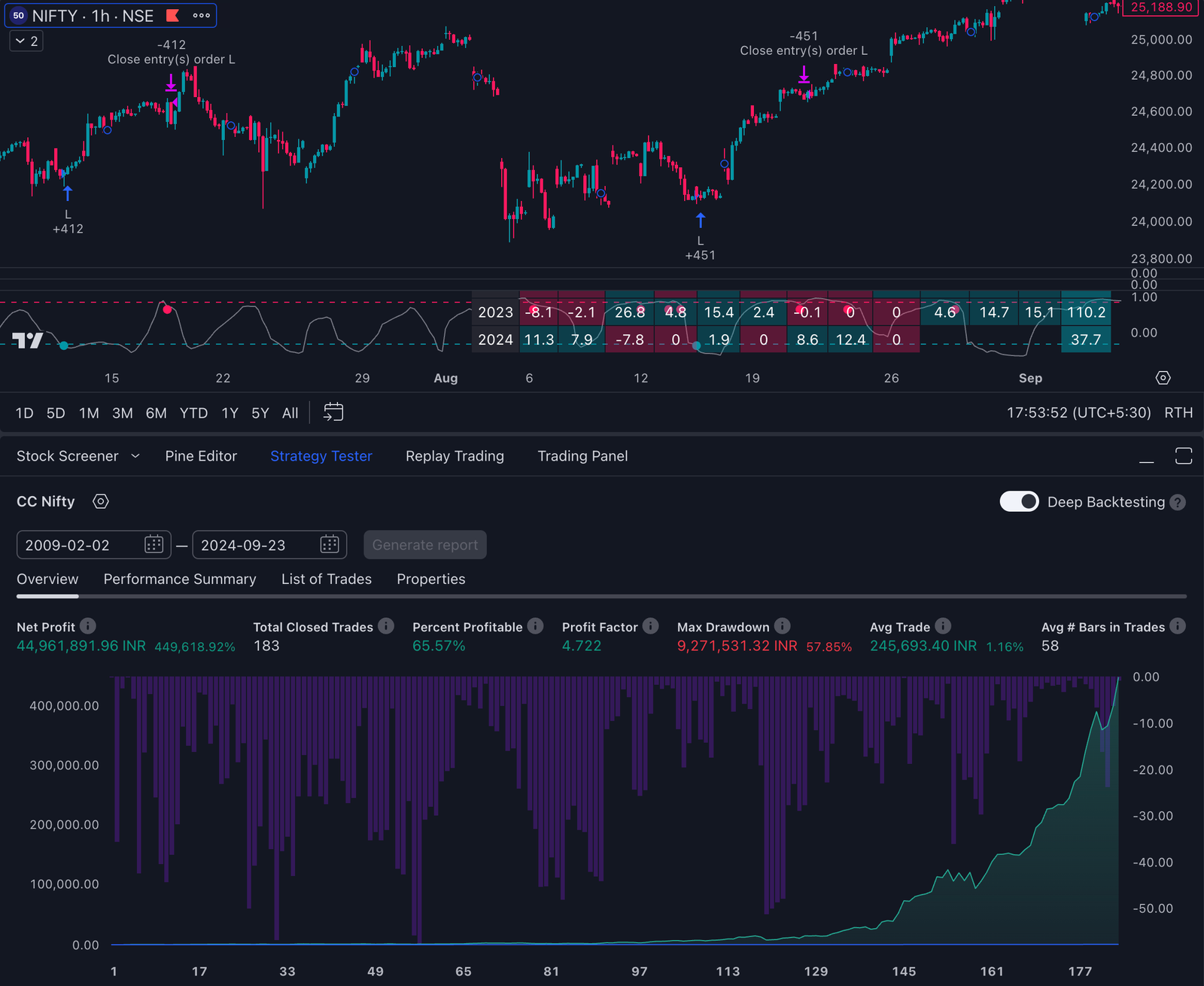
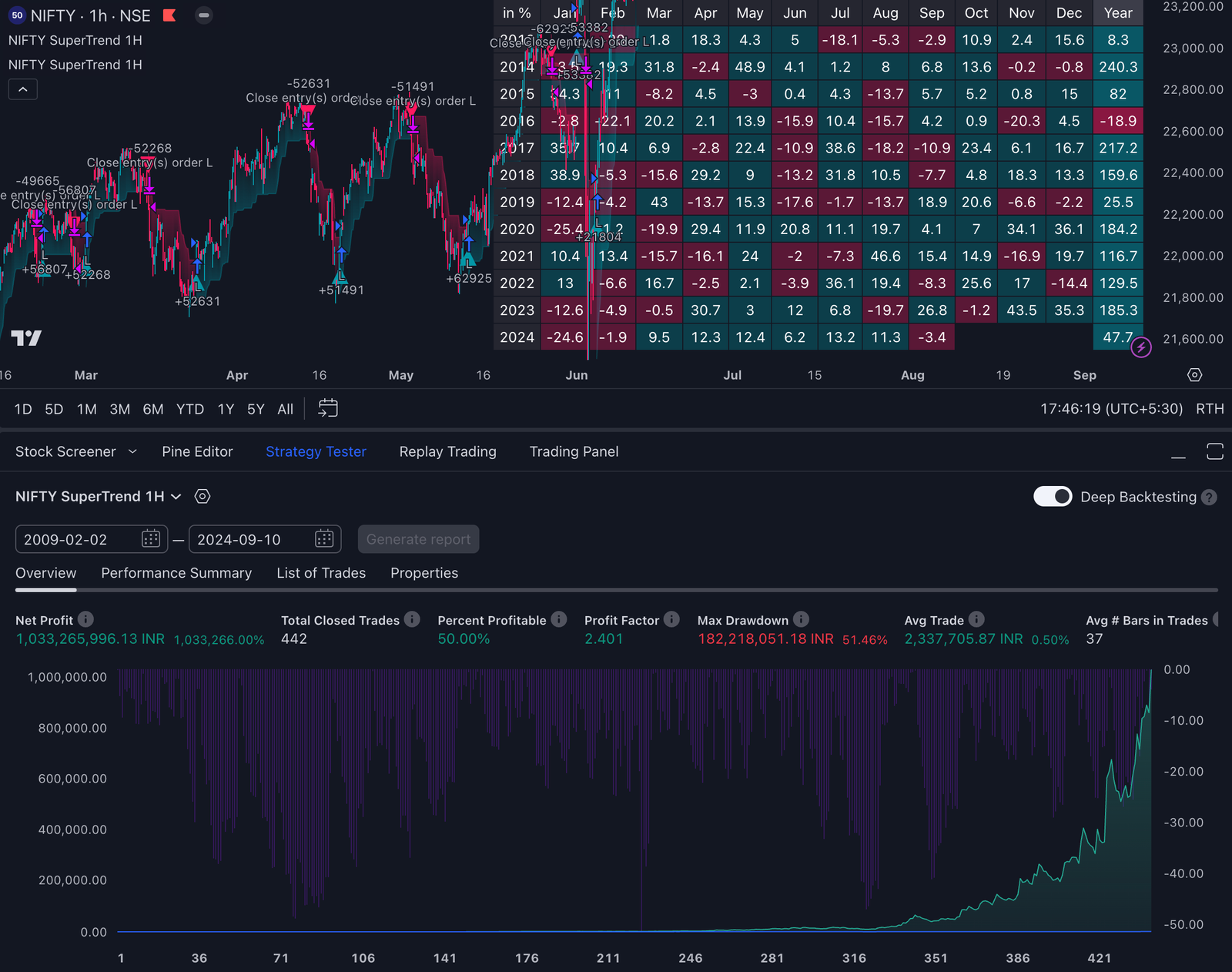
Pine Script for algorithmic trading is a powerful tool developed by TradingView, enabling traders to automate their trading strategies and create custom technical indicators. This lightweight programming language is specifically designed for backtesting trading strategies, offering a more readable and simpler syntax compared to many other programming languages. With built-in error checking and handling capabilities, Pine Script caters to traders who may not have extensive programming experience.
Before diving deeper, it’s important to understand the basics of Pine Script, as a solid foundation is essential for beginners looking to get started with algo trading.
In this guide, you will learn:
- How to get started with Pine Script: Setting up your TradingView account and accessing the Pine Editor.
- Building custom indicators: Developing technical indicators like Bollinger Bands or Stochastic Oscillator.
- Implementing algorithmic trading strategies: Coding popular strategies such as MACD and RSI for automated execution.
- Risk management: Practical examples of implementing stop-loss and take-profit mechanisms in your scripts.
- Overcoming limitations: Understanding the constraints of using Pine Script within the TradingView ecosystem.
- Understanding the process of algo trading with Pine Script: Learn the step-by-step approach to developing, backtesting, and deploying trading strategies.
Understanding these aspects of Pine Script matters for traders aiming to enhance their trading decisions through automation and technical analysis. By mastering the basics and process of Pine Script, you can leverage the extensive data available on TradingView, optimize your strategies, and potentially achieve consistent profitability in algo trading.
Understanding Pine Script
What is Pine Script?
Pine Script is a programming language created by TradingView. It’s mainly used for creating technical indicators and testing trading strategies. With Pine Script, traders can:
- Develop custom scripts to analyze market data
- Generate trading signals
- Automate trading strategies on the TradingView platform
- Create custom indicators tailored to specific trading needs
Pine Script uses a strategy declaration to define and implement trading strategies, allowing traders to backtest and visualize automated trade entries and exits.
Key Features of Pine Script
- User-Friendly: The language is easy to use with a simpler syntax compared to other programming languages.
- Default Script Provided: Pine Script offers a default script when creating a new indicator, giving beginners a starting point to customize or build their own scripts.
- Integration with TradingView’s extensive market data and charting tools: Works seamlessly with TradingView’s extensive market data and charting tools.
- Built-in Functions: Includes many built-in functions for technical analysis, making complex calculations easier.
How Does Pine Script Differ from Other Programming Languages?
Pine Script is different from languages like Python, JavaScript, or C++ because it’s specifically designed for algorithmic trading and technical analysis. Pine script code is structured to handle trading logic, indicator creation, and backtesting directly within TradingView, making it distinct from general-purpose programming languages. Here are some key differences:
- Focus on Financial Markets: While general-purpose languages are flexible, Pine Script is specifically designed for financial markets.
- Access to Real-time Data: Directly connects to TradingView’s vast collection of real-time and historical market data.
- Platform Limitations: Works only within the TradingView environment, which might have certain restrictions compared to broader programming environments.
- Simplified Syntax: Easier to read and learn for those without extensive programming backgrounds.
Example: Plotting a Simple Moving Average (SMA)
Here’s how you can plot a simple moving average using Pine Script:
pinescript //@version=5 indicator(“Simple SMA”, overlay=true) length = input(14) smaValue = ta.sma(close, length) plot(smaValue, title=”SMA”)
By understanding these unique aspects of Pine Script, you can effectively use its features to build advanced trading algorithms and custom indicators.
Getting Started with Pine Script
Creating a TradingView Account and Accessing the Pine Editor
To begin your journey with Pine Script, you need to create a TradingView account. This platform is where you’ll write and test your scripts.
- Sign Up: Visit TradingView and click on “Get Started”. Follow the prompts to create your account.
- Log In: Once your account is set up, log in to access the TradingView dashboard.
- Open Chart: Navigate to the charting section by selecting “Chart” from the main menu.
- Access Pine Editor: At the bottom of the chart, you’ll find a tab labeled “Pine Editor”. Click on it to open the scripting interface.
Your First Script Example: Moving Average Crossover Strategy
Creating a simple Moving Average crossover strategy is a great way to get familiar with Pine Script. This strategy involves two moving averages (MAs) – a fast MA and a slow MA. Entries are determined by crossover signals. Specifically, a bullish crossover occurs when the fast MA crosses above the slow MA, signaling a potential buy entry.
Here’s how you can code this:
Define Variables
pinescript //@version=4 study(“Moving Average Crossover”, shorttitle=”MAC”, overlay=true)
// Define input parameters for MAs. Users can customize the values for the fast and slow moving averages using the input fields below. fastLength = input(9, title=”Fast MA Length”) slowLength = input(21, title=”Slow MA Length”)
// Calculate MAs using the input values fastMA = sma(close, fastLength) slowMA = sma(close, slowLength)
// Plot MAs on chart plot(fastMA, color=color.blue, title=”Fast MA”) plot(slowMA, color=color.red, title=”Slow MA”)
Implement Buy and Sell Conditions
pinescript // Buy condition: Fast MA crosses above Slow MA buySignal = crossover(fastMA, slowMA)
// Sell condition: Fast MA crosses below Slow MA sellSignal = crossunder(fastMA, slowMA)
// Traders can also watch for a price break above or below a moving average as a signal for potential trend changes, using the break as confirmation alongside crossovers.
// Plot buy/sell signals on chart plotshape(series=buySignal, location=location.belowbar, color=color.green, style=shape.labelup, text=”BUY”) plotshape(series=sellSignal, location=location.abovebar, color=color.red, style=shape.labeldown, text=”SELL”)
Combine and Execute
Combine both sections into one script within the Pine Editor and click “Add to Chart”. This will overlay your Moving Average crossover strategy onto the live chart.
This simple example provides a foundational understanding of how Pine Script operates within TradingView’s environment. By experimenting with different parameters and conditions, you’ll develop deeper insights into building more complex trading strategies. Feel free to modify the script parameters and logic to better fit your trading preferences.
Building Custom Indicators in Pine Script
Developing custom indicators using Pine Script allows you to tailor your technical analysis tools to fit specific trading strategies. Indicator values are calculated using mathematical formulas, which can incorporate price data or other metrics. Pine Script supports a wide range of indicators, from simple moving averages to complex oscillators, and these can be visualized directly on charts for effective technical analysis.
Types of Custom Indicators
You can create various types of indicators with Pine Script:
- Bollinger Bands: These consist of a moving average and standard deviations plotted above and below the moving average. The upper band represents the upper boundary of the indicator, helping to identify potential breakout points and overbought conditions.
- Stochastic Oscillator: This momentum indicator compares a particular closing price to a range of prices over a specific period. It helps in spotting potential reversal points.
- : Measures the speed and change of price movements, often used to identify overbought or oversold conditions.
- : A trend-following indicator that shows the relationship between two moving averages of a security’s price.
pine //@version=4 study(“Custom Bollinger Bands”, overlay=true) length = input(20, title=”Length”) src = close mult = input(2.0, title=”Multiplier”) basis = sma(src, length) dev = mult * stdev(src, length) upper = basis + dev lower = basis – dev plot(basis, color=color.blue) p1 = plot(upper, color=color.red) p2 = plot(lower, color=color.red) fill(p1, p2, color=color.green, transp=90)
This script creates Bollinger Bands on the chart, with the basis line plotted in blue as seen in the TradingView chart, and demonstrates how you can customize technical indicators using Pine Script.
Importance of Technical Analysis
Technical analysis plays a crucial role in trading decisions. It involves evaluating price movements and volume data to forecast future price trends. By developing custom indicators in Pine Script, you gain a deeper understanding of market behavior tailored to your unique trading strategy. For example, a reversion strategy, such as mean reversion, can be implemented using custom indicators to identify when prices are likely to revert to their average. Custom indicators provide insights that generic indicators may miss.
Technical analysis helps traders:
- Identify trends and reversals
- Determine entry and exit points
- Assess market volatility
Engaging with custom indicators in Pine Script enhances your ability to make informed decisions based on quantitative data, rather than emotional or speculative judgments.
Implementing Algorithmic Trading Strategies with Pine Script
Algorithmic trading strategies can significantly enhance your trading efficiency and profitability. To ensure a strategy works effectively, it is crucial to backtest it across different market conditions. Two of the most popular strategies are the Moving Average Convergence Divergence (MACD) and the Relative Strength Index (RSI).
Popular Algorithmic Trading Strategies
MACD
Strengths:
- Identifies trend direction.
- Provides clear buy and sell signals through crossovers.
- Effective in trending markets.
Weaknesses:
- Lagging indicator, meaning it may not perform well in sideways or choppy markets.
- Potentially generates false signals during low volatility periods.
RSI
Strengths:
- Measures momentum, indicating overbought or oversold conditions.
- Useful for identifying potential reversal points.
Weaknesses:
- Can produce misleading signals in strong trending markets.
- Requires confirmation from other indicators to reduce false signals.
Coding Strategies in Pine Script
Creating these strategies in Pine Script is straightforward. Pine Script allows you to monitor and manage the current position size in your trading strategy using variables like strategy.position_size, which helps you determine if a trade is active and manage open positions effectively. Below are examples demonstrating how to implement MACD and RSI strategies for automated execution.
MACD Strategy Example
pinescript // Define MACD parameters fastLength = input(12, title=”Fast Length”) slowLength = input(26, title=”Slow Length”) signalSmoothing = input(9, title=”Signal Smoothing”)
// Calculate MACD line and Signal line [macdLine, signalLine, _] = ta.macd(close, fastLength, slowLength, signalSmoothing)
// Generate buy and sell signals buySignal = crossover(macdLine, signalLine) sellSignal = crossunder(macdLine, signalLine)
// Plot the MACD and Signal lines plot(macdLine, title=”MACD Line”, color=color.blue) plot(signalLine, title=”Signal Line”, color=color.red)
// Plot buy/sell signals on chart plotshape(series=buySignal, location=location.belowbar, color=color.green, style=shape.labelup, text=”BUY”) plotshape(series=sellSignal, location=location.abovebar, color=color.red, style=shape.labeldown, text=”SELL”)
RSI Strategy Example
pinescript // Define RSI parameters rsiLength = input(14, title=”RSI Length”) overboughtLevel = input(70, title=”Overbought Level”) oversoldLevel = input(30, title=”Oversold Level”)
// Calculate RSI rsiValue = ta.rsi(close, rsiLength)
// Generate buy and sell signals buySignal = crossover(rsiValue, oversoldLevel) sellSignal = crossunder(rsiValue, overboughtLevel)
// Plot the RSI value plot(rsiValue, title=”RSI Value”, color=color.blue) hline(overboughtLevel, “Overbought Level”, color=color.red) hline(oversoldLevel, “Oversold Level”, color=color.green)
// Plot buy/sell signals on chart plotshape(series=buySignal, location=location.belowbar, color=color.green, style=shape.labelup,text=”BUY”) plotshape(series=sellSignal , location=location.abovebar ,color=color.red ,style=shape.labeldown ,text=”SELL”)
Implementing these scripts allows you to automate your trading decisions based on predefined criteria. By utilizing Pine Script’s capabilities within TradingView’s platform you can effectively test and deploy these strategies in real-time market conditions.
Managing Risk in Pine Script Algorithms
Effective risk management is crucial for achieving long-term success in algorithmic trading. While Pine Script allows for the automation of trading strategies, it’s essential to incorporate mechanisms that mitigate risk and protect your capital from significant losses.
Risk management often involves the calculation of stop-loss and take-profit levels, which are frequently set as a percentage of the entry price.
Common Pitfalls to Avoid
- Over-Leveraging: Using excessive leverage can amplify losses. Ensure your scripts account for leverage limits.
- Ignoring Market Conditions: Strategies that don’t adjust to changing market conditions may fail during volatile periods.
- Lack of Diversification: Relying on a single strategy or asset increases risk exposure.
Implementing Stop-Loss and Take-Profit Mechanisms
You can use Pine Script to set up stop-loss orders and take-profit evaluations, which are fundamental tools for managing risk. Setting take profits, alongside stop losses, is essential for a comprehensive risk management strategy, as it helps automate and optimize trade exits.
Example: Stop-Loss Orders
A stop-loss order automatically exits a trade when the price moves unfavorably by a certain amount. This helps in capping potential losses.
pinescript //@version=4 strategy(“Example Strategy with Stop-Loss”, overlay=true)
// Define strategy logic fastMA = sma(close, 10) slowMA = sma(close, 30) longCondition = crossover(fastMA, slowMA)
// Execute trade with stop-loss if (longCondition) strategy.entry(“Long”, strategy.long) // Set stop-loss at 2% below the entry price strategy.exit(“Stop Loss”, “Long”, stop=close * 0.98)
Example: Take-Profit Evaluations
Take-profit orders lock in profits by exiting trades when a specified profit level is reached.
pinescript //@version=4 strategy(“Example Strategy with Take-Profit”, overlay=true)
// Define strategy logic fastMA = sma(close, 10) slowMA = sma(close, 30) shortCondition = crossunder(fastMA, slowMA)
// Execute trade with take-profit if (shortCondition) strategy.entry(“Short”, strategy.short) // Set take-profit at 5% above the entry price strategy.exit(“Take Profit”, “Short”, limit=close * 1.05)
When implementing take-profit logic, the rest of the script remains unchanged.
By incorporating these mechanisms into your Pine Script algorithms, you enhance your ability to manage risk effectively. Tailoring stop-loss and take-profit levels to your specific trading strategy ensures that you minimize losses while locking in gains, thus maintaining a balanced approach to automated trading.
Additionally, it’s important to remember that effective money management plays a key role in successful trading.
Limitations and Challenges of Using Pine Script for Algorithmic Trading
Using Pine Script for algorithmic trading within the TradingView environment has its own set of limitations. One major drawback is the platform’s limited backtesting capabilities. Unlike more advanced platforms, TradingView does not support multi-timeframe backtesting or portfolio-level backtesting, which are crucial for evaluating the strength of a strategy.
Market restrictions also pose a challenge. Pine Script is confined to the data available on TradingView, which may not cover all markets or assets you might want to trade. While the security() function in Pine Script allows users to access data from other assets by specifying their ticker symbol and timeframe, it is still limited by TradingView’s data availability. This restriction means that strategies developed in Pine Script may not be applicable or testable in less common markets.
Key Constraints:
- Data Access Issues: You can only access data that TradingView provides, limiting your ability to integrate external datasets or libraries.
- Execution Speed: Pine Script runs in a cloud-based environment, so execution speed may vary depending on server load and internet connectivity.
- Limited Debugging Tools: The debugging tools available in Pine Script are less sophisticated compared to other programming environments like Python or R. This can make troubleshooting complex algorithms more time-consuming.
- No Support for External Libraries: Pine Script does not support importing external libraries commonly used in machine learning or advanced statistical analysis. This limits the complexity of strategies you can develop.
Despite these limitations, many traders find value in using Pine Script due to its simplicity and integration with TradingView’s rich set of charting tools and market data. However, understanding these constraints is essential for setting realistic expectations and effectively planning your trading strategies within this ecosystem.
Case Studies: Successful Strategies Built with Pine Script
Real-World Examples
Pine Script has empowered numerous traders to develop and refine their algorithmic trading strategies. Here are some notable examples:
1. Moving Average Crossovers
A trader implemented a simple Moving Average crossover strategy using the 50-day and 200-day moving averages.
- Performance Metrics: Over a period of two years, this strategy yielded an average annual return of 15%, outperforming the market benchmark.
2. RSI-Based Strategy
Another trader focused on the Relative Strength Index (RSI) to identify overbought and oversold conditions.
- Performance Metrics: By setting RSI thresholds at 30 (buy) and 70 (sell), the algorithm achieved a win rate of 65% across multiple asset classes over six months.
3. Bollinger Bands
A strategy leveraging Bollinger Bands to identify price breakouts was developed by an experienced trader.
- Performance Metrics: This approach resulted in a profit factor of 1.8, with a drawdown of only 5% during volatile market conditions.
Consistent Profitability
These cases highlight how Pine Script can be used to achieve consistent profitability:
- Risk Management Integration: Many successful algorithms incorporate risk management features like stop-loss and take-profit orders. One trader’s MACD-based strategy included a trailing stop-loss, which minimized losses while capitalizing on upward trends.
- Backtesting and Optimization: Effective use of Pine Script’s backtesting capabilities allows traders to optimize their strategies. For example, a stochastic oscillator strategy was fine-tuned through rigorous backtesting, resulting in an optimized version that increased profitability by 10%.
What We Learn
These examples demonstrate that:
- Simplicity Can Be Powerful: Even straightforward strategies like Moving Average crossovers can yield significant returns when properly executed.
- Customization is Key: Tailoring indicators and risk management settings to fit specific market conditions enhances performance.
- Ongoing Refinement: Continuous backtesting and tweaking are essential for maintaining edge in dynamic markets.
By examining these real-world successes, you can glean valuable insights into building your own profitable Pine Script-based algorithms.
Conclusion & Next Steps to Mastering Algorithmic Trading with Pine Script
Pine Script offers a robust framework for automation in trading, enabling traders to develop and implement sophisticated algorithms within the TradingView ecosystem. Its user-friendly syntax and comprehensive data access make it an excellent choice for both novice and experienced traders looking to enhance their strategies.
Benefits of Pine Script:
- Ease of Use: Simplified syntax makes it accessible.
- Integration: Seamless integration with TradingView for real-time data and backtesting.
- Community Support: Extensive library of open-source scripts and active community discussions.
Future Potential:
Algorithmic trading using tools like Pine Script is poised for growth as more traders recognize the benefits of automation. The ongoing development of TradingView’s platform ensures continuous improvements, expanding the possibilities for complex strategy development.
Recommended Resources:
- TradingView’s Official Documentation: Comprehensive guide to Pine Script syntax and functions.
- Online Courses: Websites like Udemy offer specialized courses on algorithmic trading with Pine Script.
- Community Forums: Engage with other traders on TradingView forums or Reddit’s algorithmic trading communities.
- Books: Titles like “Algorithmic Trading: Winning Strategies and Their Rationale” by Ernest P. Chan provide broader insights into automated trading strategies.
By leveraging these resources, you can deepen your understanding and proficiency in algorithmic trading, empowering you to achieve consistent profitability with Pine Script-based strategies.
What is Pine Script and how is it used in algorithmic trading?
Pine Script is a programming language specifically designed for creating custom technical indicators and strategies on the TradingView platform. It plays a crucial role in algorithmic trading by allowing traders to automate their trading strategies and backtest them effectively.
How can I get started with Pine Script?
To get started with Pine Script, you need to create a TradingView account and access the Pine Editor. A simple first script example could be a Moving Average crossover strategy, which serves as an excellent introduction to scripting in Pine.
What types of custom indicators can I build using Pine Script?
With Pine Script, you can develop various custom indicators such as Bollinger Bands and the Stochastic Oscillator. These indicators are essential tools for technical analysis, helping traders make informed decisions based on market trends.
What are some popular algorithmic trading strategies that can be coded in Pine Script?
Popular algorithmic trading strategies that can be implemented using Pine Script include MACD (Moving Average Convergence Divergence) and RSI (Relative Strength Index). Each strategy has its strengths and weaknesses, which you can code for automated execution within your scripts.
How do I manage risk when using algorithms in Pine Script?
Risk management is vital for success in algorithmic trading. You can implement stop-loss orders and take-profit evaluations within your scripts to mitigate potential losses. It’s important to understand common pitfalls to avoid while managing risk effectively.
What are the limitations of using Pine Script for algorithmic trading?
Pine Script operates within the constraints of the TradingView platform, which may include limited backtesting capabilities and data access issues. Understanding these limitations is crucial for optimizing your algorithms and setting realistic expectations.