
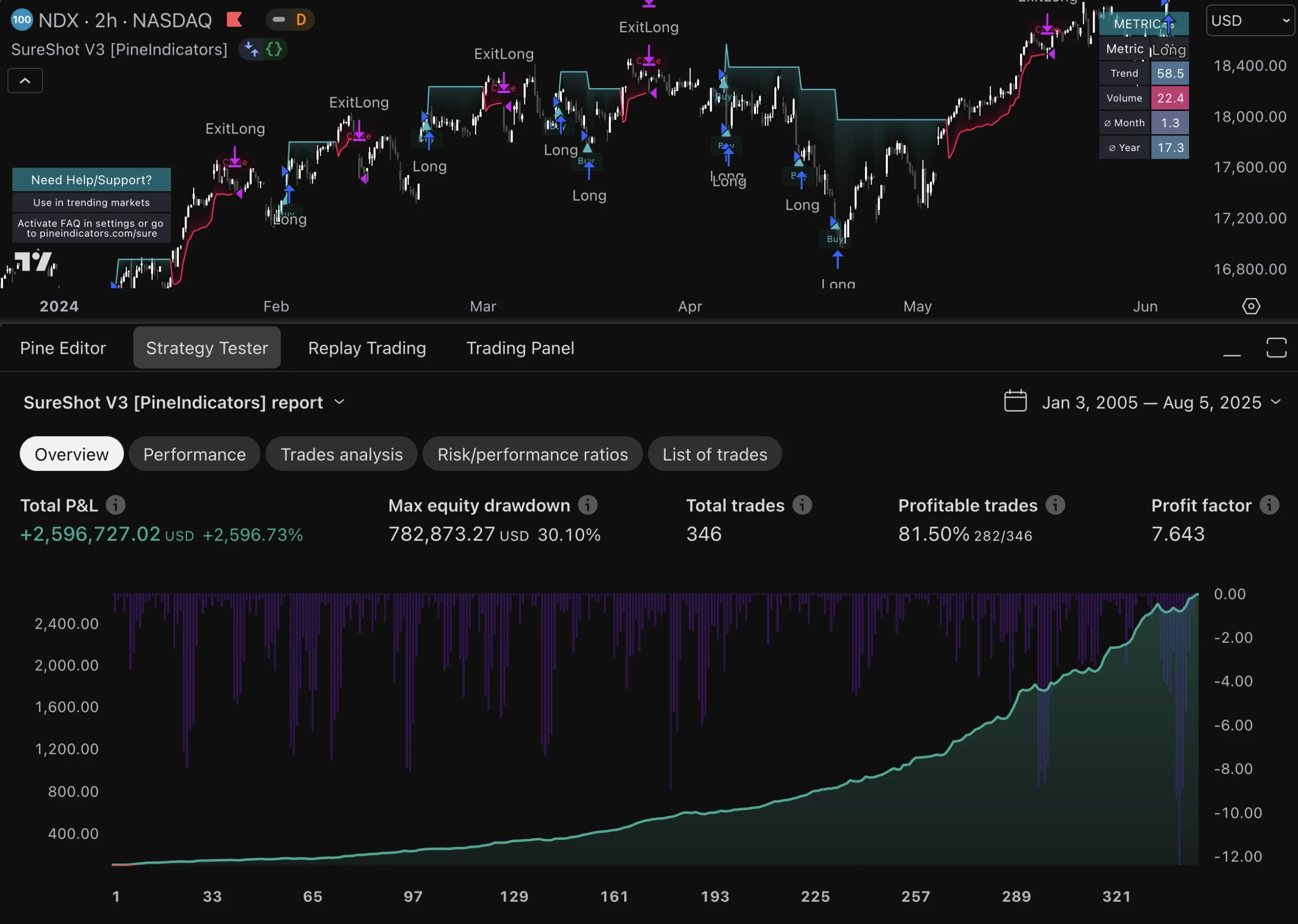
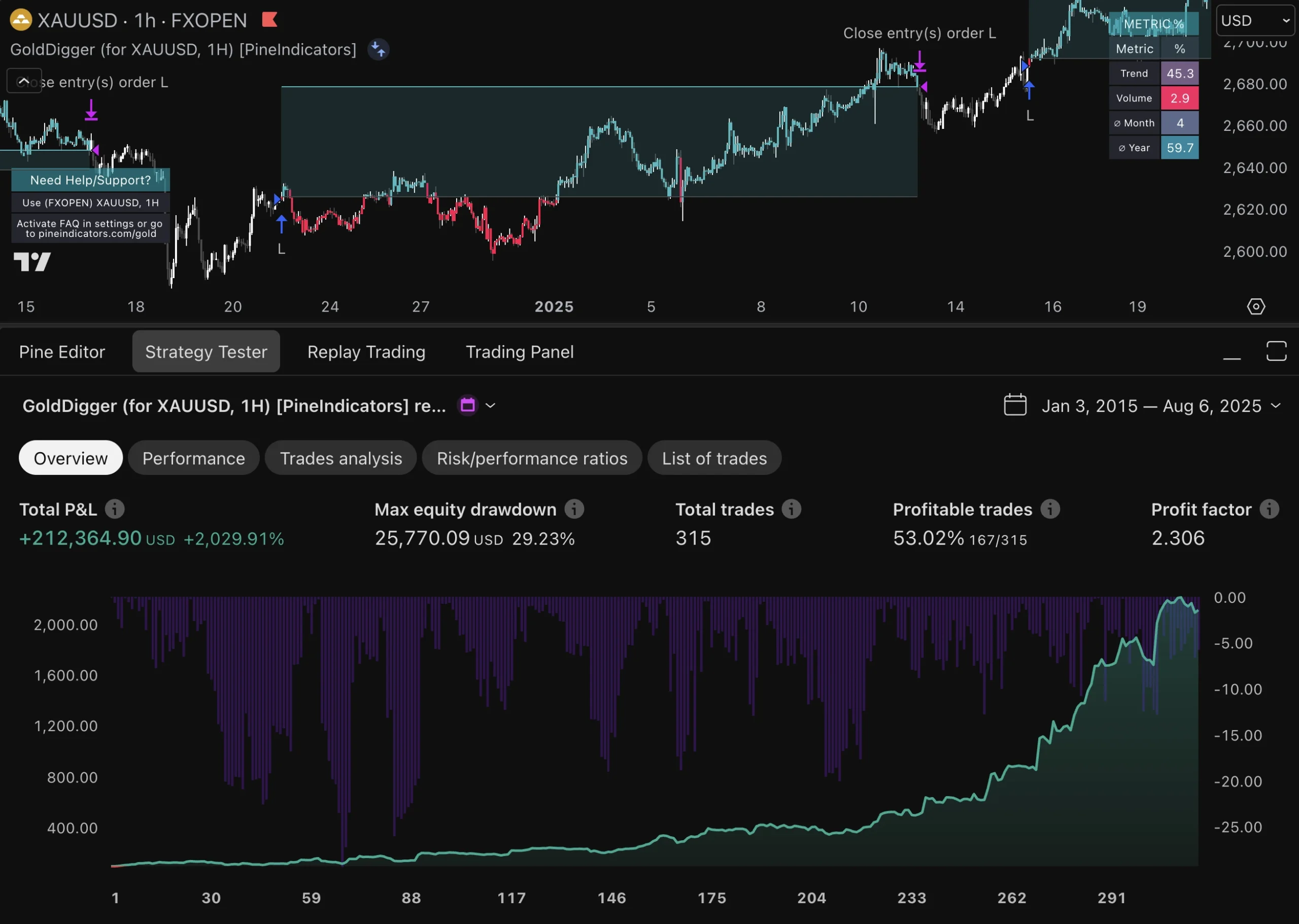
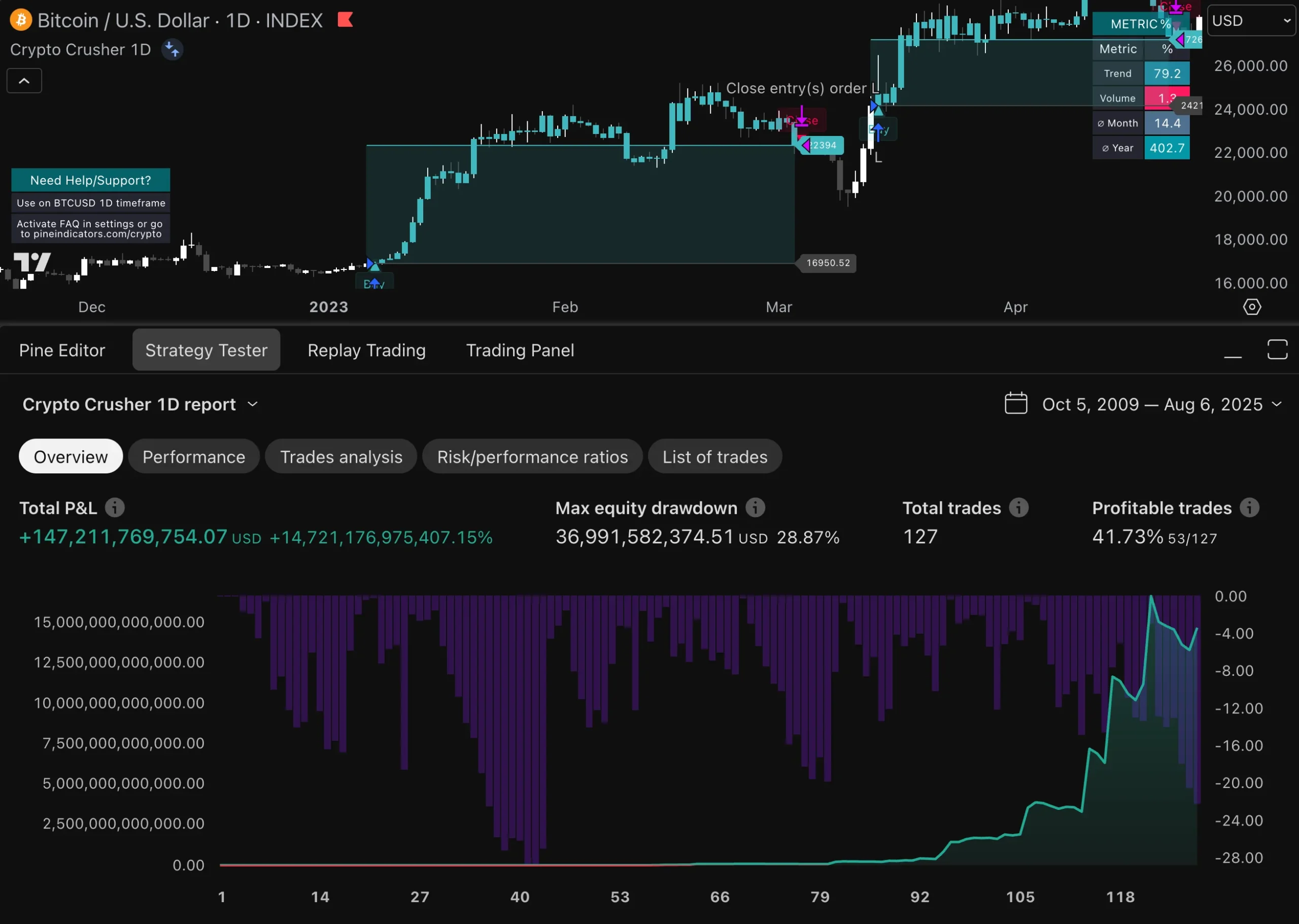
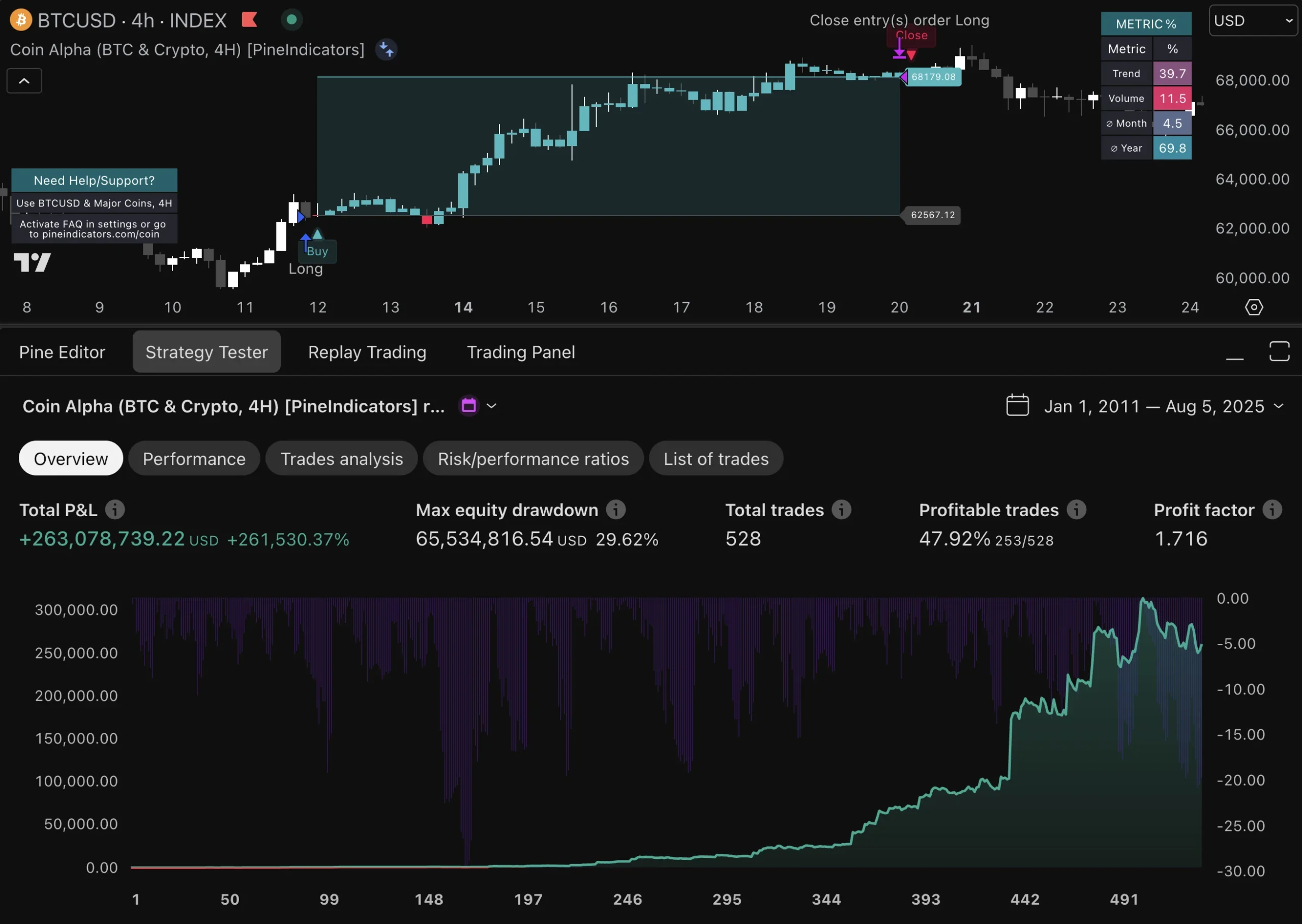
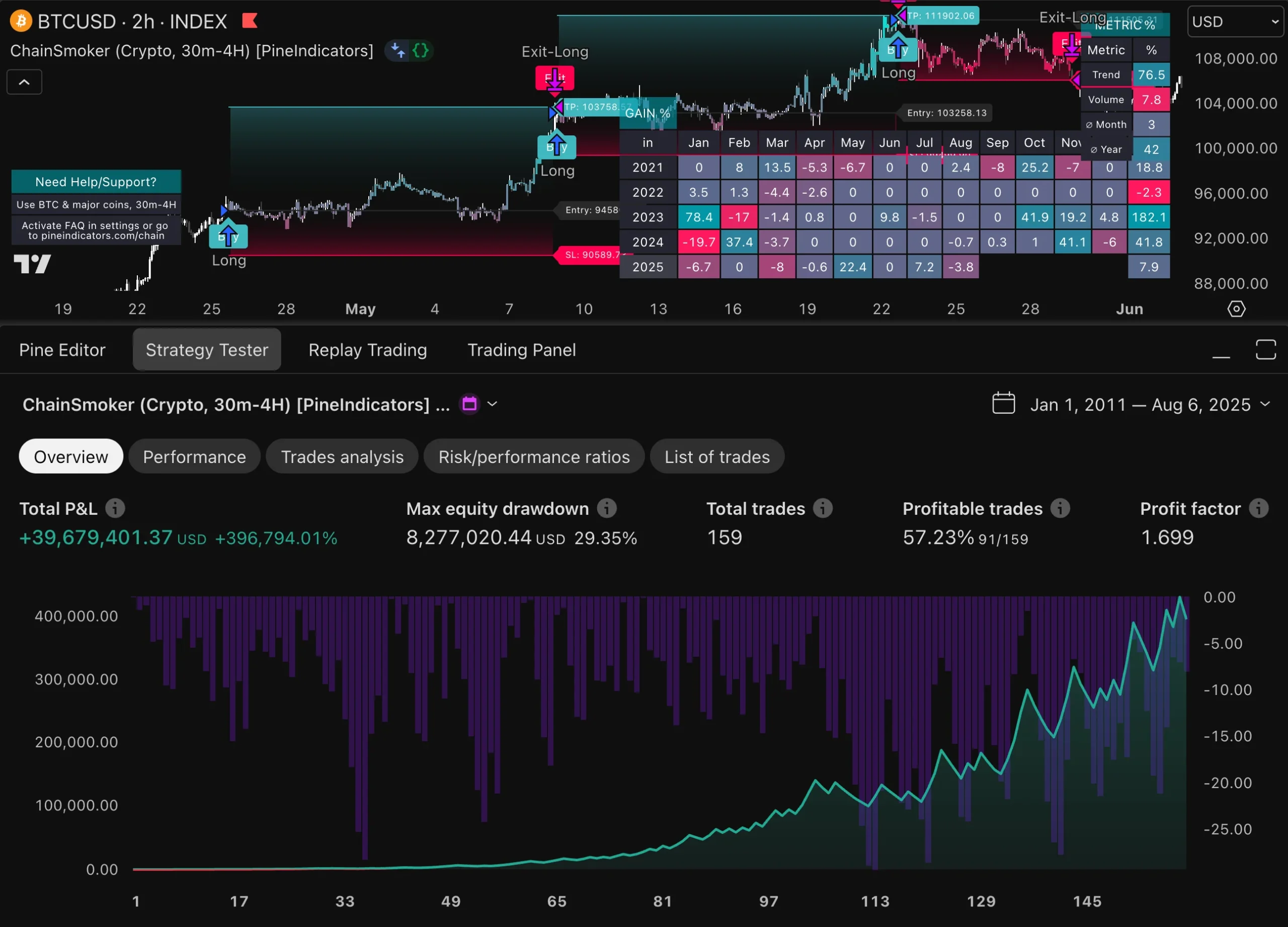
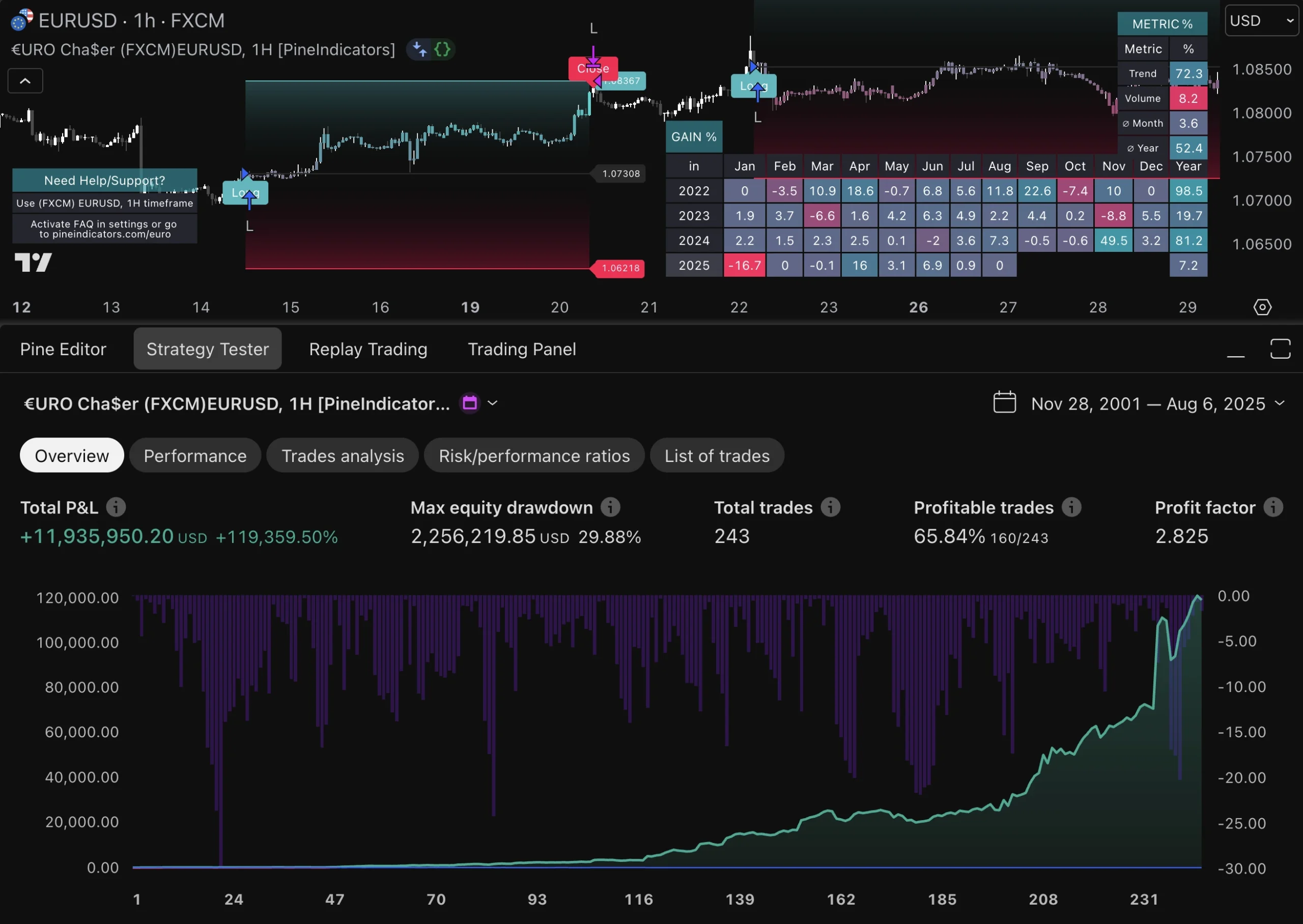
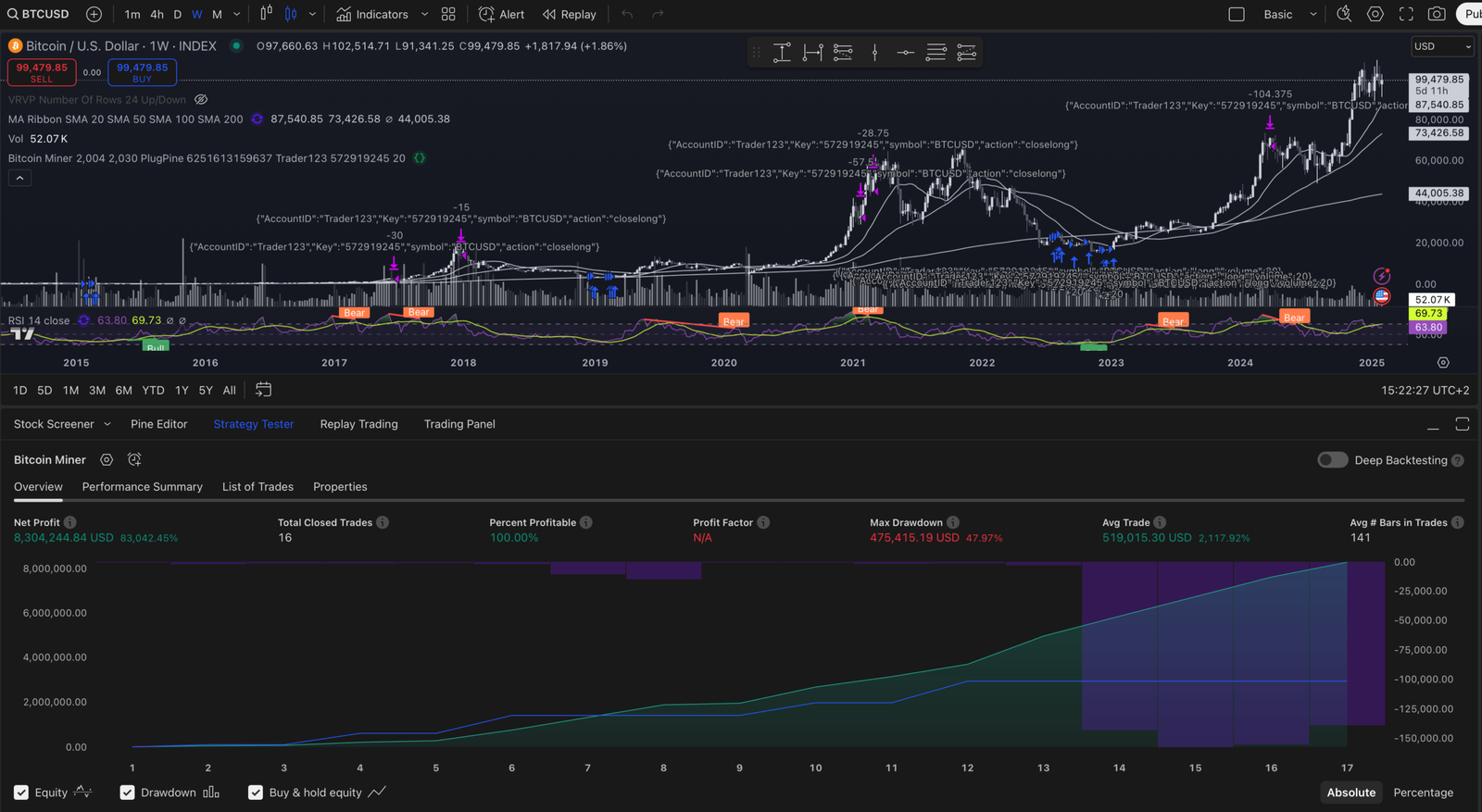
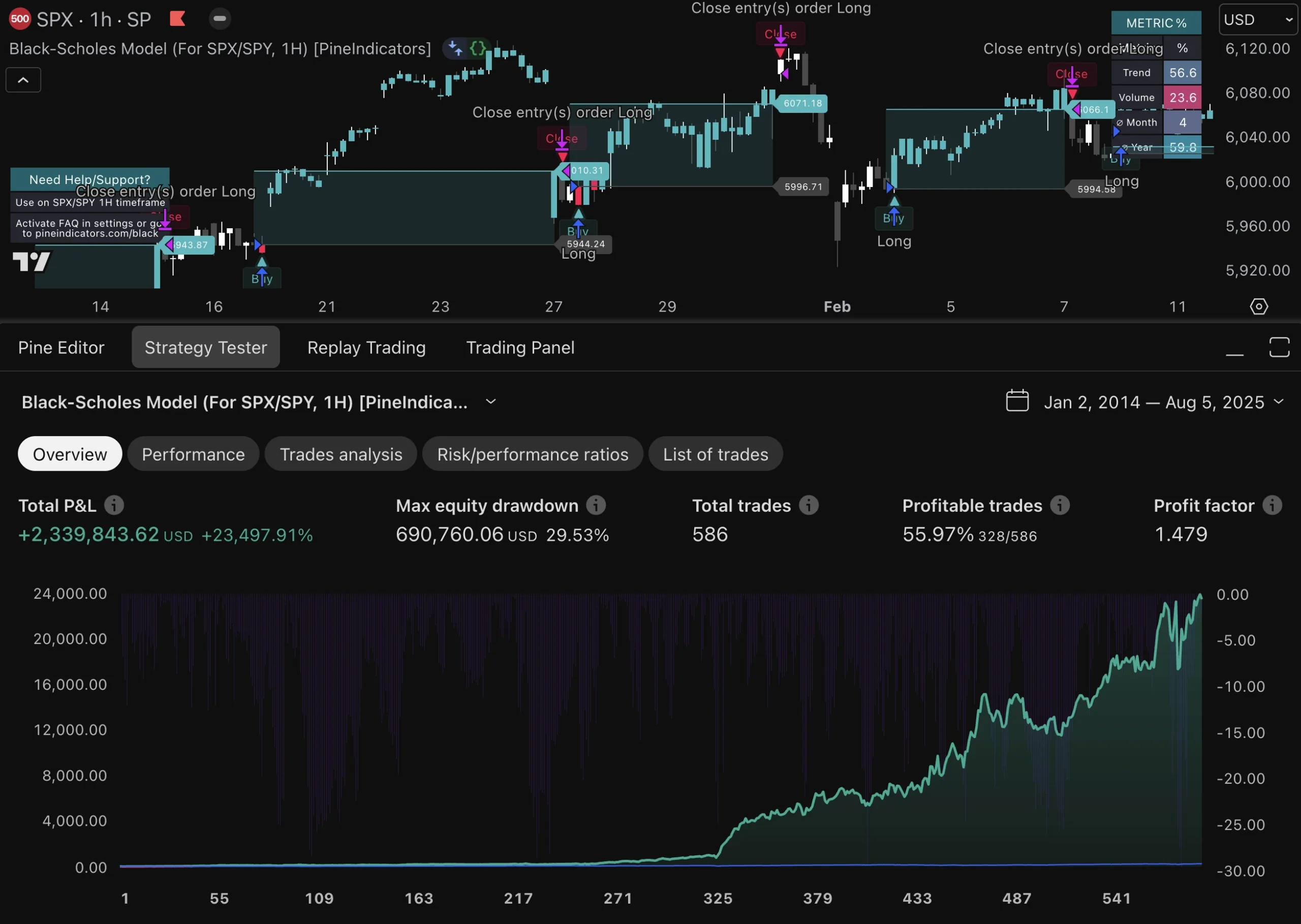
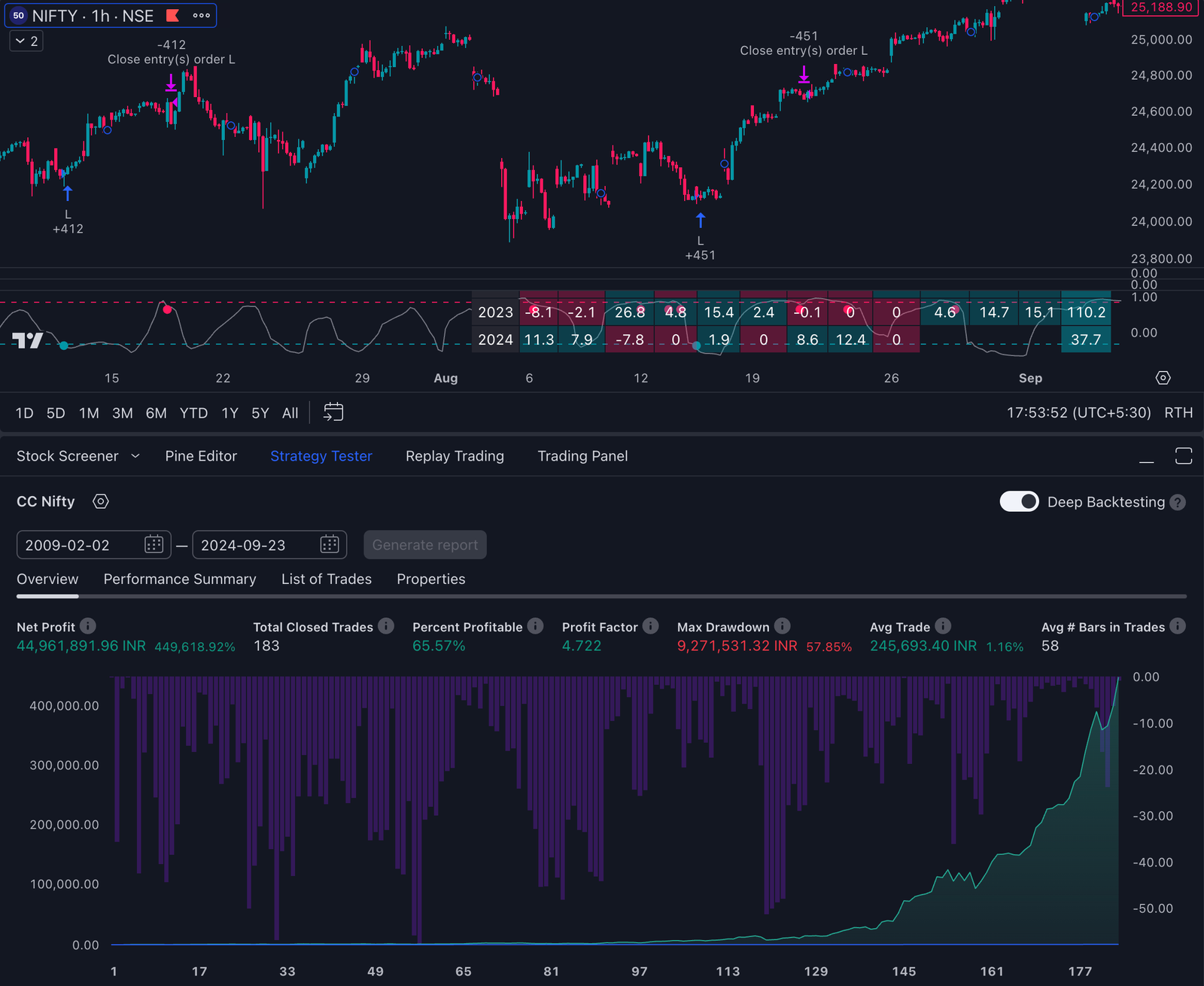
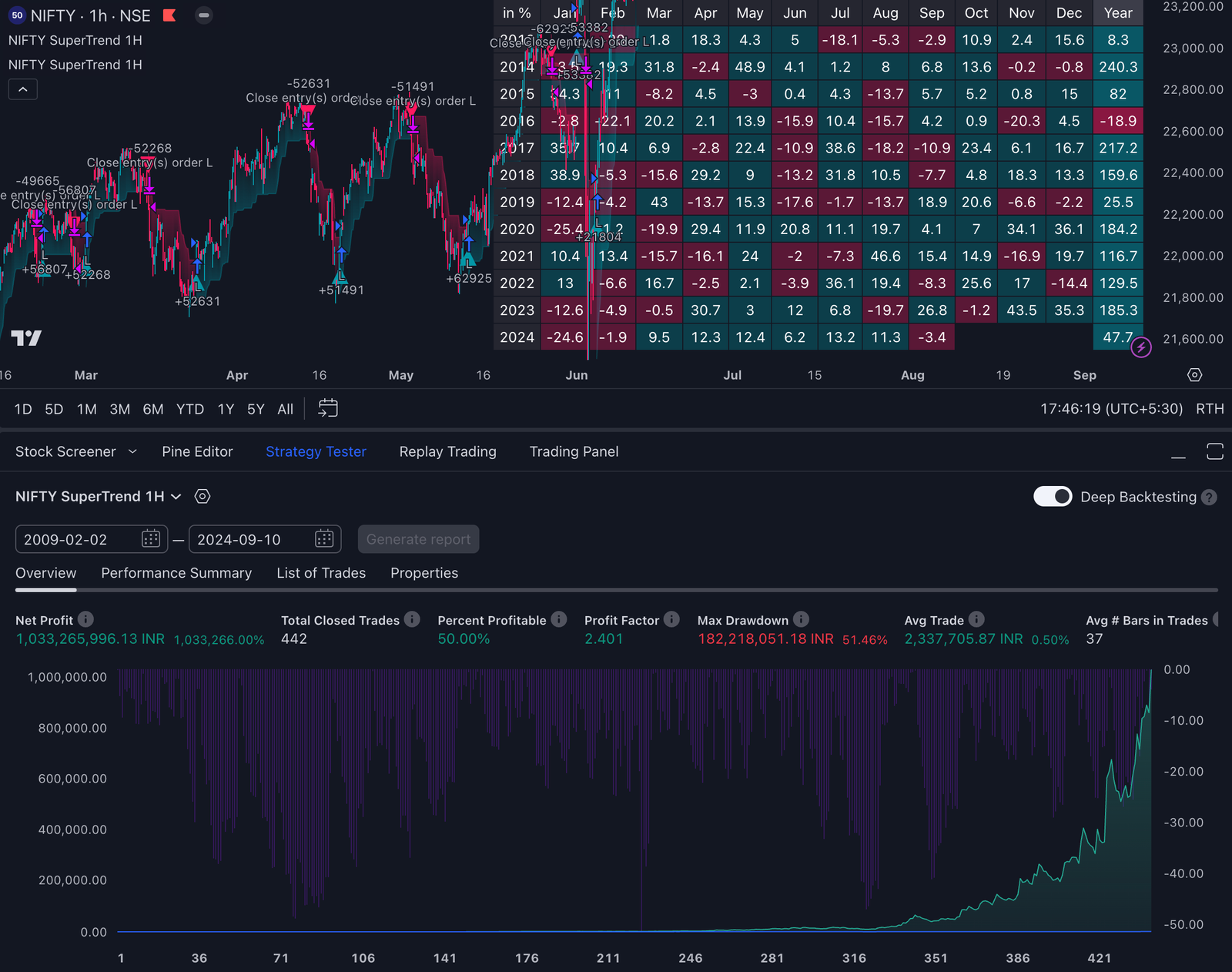
Pine Script is a programming language specifically designed for creating custom technical indicators and strategies on TradingView. This is crucial for traders as it allows them to develop unique indicators tailored to their specific needs—even simple indicators can be powerful and effective for traders of all levels—giving them an advantage in market analysis and strategy optimization.
TradingView is a comprehensive platform that caters to traders of all skill levels. It offers an easy-to-use interface, extensive charting tools, and a lively community of users who share scripts and trading ideas. TradingView also provides a wide range of free indicators, making it easy for traders to access useful tools without any cost.
Having effective indicators is vital for analyzing market trends, spotting trading opportunities, and making well-informed decisions. These indicators can be easily added to charts for better analysis. There is no limit to the number of indicators you can use on TradingView, allowing for comprehensive and flexible analysis.
The main point: Effective indicators are essential for analyzing the market. Utilizing the top Pine Script indicators in 2025 can greatly improve your trading performance by providing advanced analytical abilities and personalized insights.
Introduction to Trading with Pine Script
Pine Script is a powerful tool for traders looking to elevate their trading analysis on the TradingView platform. As a specialized programming language, Pine Script enables traders to create custom technical indicators and develop robust trading strategies tailored to their unique needs. With Pine Script, you can easily combine multiple indicators to generate precise buy and sell signals, backtest your strategies, and adapt to changing market conditions. This flexibility allows traders to not only use existing indicators but also to create their own, enhancing their ability to make informed decisions and improve overall trading performance. Whether you’re looking to refine your current approach or build entirely new strategies, Pine Script provides the foundation needed to succeed in today’s dynamic markets.
Understanding Pine Script
What is Pine Script?
Pine Script is a specialized programming language created specifically for the TradingView platform. It allows traders to:
- Build custom technical indicators that calculate various market metrics to assist in analysis
- Test trading strategies with historical data
- Automate trading systems
Users can freely copy and modify open-source scripts to suit their needs.
The main goal is to let users customize their analysis tools to fit their unique trading style and needs.
The Basics of Pine Script
To create your own indicators, it’s important to understand the basic building blocks of Pine Script. One key difference between Pine Script and other scripting languages is its ease of use and seamless integration with TradingView, making it especially accessible for traders.
1. Variables
Variables are used to store data that can be used later in your script. For example, you might use a variable to store the value of a moving average.
pine var = 10
2. Functions
Functions are blocks of code that perform specific tasks. They can take inputs (called parameters) and return outputs.
pine f_function() => // function code here
3. Operators
Operators are symbols that represent operations like addition, subtraction, multiplication, and division.
pine result = (a + b) / c
Using Pine Script on TradingView
One of the best things about Pine Script is how well it works with TradingView:
- Built-in Editor: You can write and test your scripts directly on TradingView using their integrated editor.
- Custom Indicators: Once you’ve created an indicator with Pine Script, you can overlay it onto any chart on TradingView.
- Community Scripts: If you’re looking for inspiration or just want to see what others have done, you can browse through thousands of scripts shared by other users.
Many people have found Pine Script easy to use and have successfully created their own indicators and strategies.
By getting familiar with these basics, you’ll be well on your way to creating powerful tools that can help improve your trading strategies on TradingView.
Types of Technical Indicators
Technical indicators are essential tools that help traders interpret market data and make strategic decisions. There are several types of technical indicators, each serving a specific purpose in trading analysis. Trend indicators, such as Moving Averages and Bollinger Bands, help traders identify the direction and strength of market trends. Momentum indicators like the Relative Strength Index (RSI) and Stochastic Oscillator are used to spot overbought or oversold conditions, signaling potential reversals. Volatility indicators measure the rate of price movement, while volume indicators track trading activity to confirm trends or reversals. Cycle indicators help identify repeating patterns in the market. By combining multiple indicators, traders can create comprehensive strategies that generate more accurate buy and sell signals, ultimately improving their trading outcomes. Using the right mix of indicator types allows traders to adapt to various market conditions and enhance their decision-making process.
Creating Custom Indicators with Pine Script
Building custom indicators with Pine Script on the TradingView platform is both accessible and rewarding. The Pine Script editor provides a user-friendly environment where traders can write and modify code to create indicators that align with their specific trading strategies. Whether starting from scratch or customizing existing indicators, Pine Script offers a wide range of functions and variables to support your creative process. By developing your own indicators, you can address unique market scenarios and refine your trading approach for better results. Sharing your custom scripts with the TradingView community not only helps you gather valuable feedback but also contributes to the collective knowledge base, fostering innovation and collaboration among traders. With Pine Script, you have the freedom to create, test, and optimize indicators that give you a competitive edge in the market.
Best Practices for Indicator Creation
When developing indicators with Pine Script, following best practices is crucial for building effective and reliable trading tools. Start by clearly defining your trading strategy and the specific goals your indicator should achieve. Maintain a consistent and readable coding style, and use comments throughout your code to make it easy to understand and maintain. Thoroughly test your indicators using backtesting and walk-forward optimization to ensure they perform well under different market conditions. Take advantage of open-source libraries and scripts available within the TradingView community to streamline your development process and enhance your indicators’ capabilities. By adhering to these best practices, traders can create high-quality indicators that support informed decision-making and robust trading strategies.
Common Mistakes in Indicator Creation
While creating indicators with Pine Script, traders should be mindful of common pitfalls that can undermine their trading strategies. Over-optimizing an indicator for historical data can lead to poor performance in live markets, so it’s important to strike a balance between accuracy and adaptability. Avoid using too many parameters, as overly complex indicators can become difficult to interpret and manage. Relying solely on a single indicator is another frequent mistake; instead, combine multiple indicators to build a more comprehensive and resilient trading strategy. Additionally, steer clear of creating indicators that are too complicated or hard to understand, as this can lead to confusion and suboptimal trading decisions. Traders should continue to monitor and evaluate their indicators, making adjustments as needed to ensure they remain effective as market conditions evolve. By recognizing and avoiding these common mistakes, traders can create indicators that truly enhance their trading performance.
Popular Pine Script Courses in 2025
Learning resources for Pine Script programming have expanded, offering traders various online courses tailored to different skill levels. Notable courses include:
- Learn TradingView Pine Script Programming From Scratch: Ideal for beginners, this course covers the basic syntax, structure, and foundational concepts of Pine Script. It provides a solid grounding for those new to coding and technical analysis.
- TradingView Pine Script Strategies: The Complete Guide: This course builds on basic knowledge, focusing on the creation and implementation of trading strategies using Pine Script. It covers practical applications such as backtesting strategies, setting stop-loss and take-profit orders, and creating alerts.
- Master TradingView Pine Script Advanced Programming: Aimed at advanced users, this course delves into complex scripting techniques and strategy optimization. It explores sophisticated topics like custom indicator development and automation.
Most of these courses are available without the need for ongoing subscriptions, allowing learners to pay once or access free resources.
Benefits of These Courses
Each of these courses offers distinct advantages:
- Learn TradingView Pine Script Programming From Scratch helps you grasp fundamental concepts quickly.
- TradingView Pine Script Strategies: The Complete Guide enhances your ability to develop effective trading strategies.
- Master TradingView Pine Script Advanced Programming equips you with advanced skills for creating custom indicators and automated systems.
Practical applications covered in these courses are invaluable. They include:
- Backtesting Strategies: Understanding how past performance can inform future decisions.
- Alerts Creation: Setting up real-time notifications for market conditions.
These courses collectively provide a comprehensive learning path from novice to expert in Pine Script programming.
For those interested in exploring other programming languages used in trading, such as EasyLanguage, a good resource is the EasyLanguage Essentials guide. This could complement your learning journey by broadening your understanding of different scripting languages in the trading domain.
Top Featured Indicators for 2025
TradingView‘s featured indicators, often known as Editors’ Picks, play a crucial role in market analysis. These indicators are carefully selected to provide traders with reliable and advanced technical tools.
Machine Learning Adaptive SuperTrend
This indicator uses clustering algorithms to adapt to market volatility, helping traders identify trends more accurately. It adjusts the sensitivity of trend signals based on current market conditions, making it a powerful tool for dynamic trading environments. Additionally, it leverages machine learning techniques to further enhance its predictive capabilities.
D-Shape Breakout Signals
This indicator provides support/resistance curves along with breakout signals. It assists traders in recognizing key levels where price action may change direction, enabling timely entries and exits.
Designed for mean reversion and trend identification, the Linear Regression Oscillator is ideal for spotting potential reversals and continuation patterns. It uses statistical methods to analyze price movements, offering insights into when the market may return to its average trend line.
Volume Bull/Bear Activity
Summarizing bull/bear activity across multiple symbols, this indicator gives a comprehensive view of market sentiment. By analyzing volume trends, traders can gauge the strength of buying and selling pressures, aiding in decision-making processes.
These technical indicators stand out in 2025 for their precision and utility, enhancing the analytical capabilities of traders on .
Community Contributions to Pine Scripts
The community scripts on TradingView play a crucial role in the development of Pine Script indicators. These user-generated content contributions create a collaborative environment where traders can share and improve their unique trading tools.
Role of Community in Developing Unique Pine Scripts
Community members actively create innovative Pine Scripts that often go beyond standard indicators in terms of functionality and customization. This teamwork results in a wide range of tools, each designed for specific trading needs and strategies.
Examples of Innovative Scripts Created by Users
Several standout community scripts have gained popularity:
- Machine Learning Adaptive SuperTrend: Uses clustering algorithms to adapt to market volatility.
- Volatility Stop: Helps identify potential stop-loss levels based on market volatility.
- Multi-Timeframe RSI: Aggregates RSI values from multiple timeframes for comprehensive analysis.
These examples showcase the creativity and technical skills within the TradingView community.
Advantages of Accessing Free Community Scripts Versus Standard Indicators
Choosing free community scripts offers several benefits:
- Customization: Tailored solutions that address specific trading requirements.
- Innovation: Access to cutting-edge techniques not available in standard indicators.
- Cost-effective: Free access to powerful tools developed by experienced traders.
Exploring community scripts can provide you with unique insights and advanced functionalities, enhancing your overall trading strategy.
The Trend Towards Automation in Trading Strategies with Pine Script
Automation is becoming increasingly common in trading strategies, driven by the capabilities of Pine Script. Traders are leveraging this specialized language to automate complex systems with ease, transforming their trading approach.
Implementing Complex Systems
Pine Script allows traders to create intricate trading algorithms without extensive programming knowledge. The simplicity of its syntax means you can design and deploy automated strategies swiftly. This ease of use empowers traders to focus on optimizing their strategies rather than getting bogged down by coding complexities. In fact, building an algorithmic trading system isn’t as hard as it seems, especially with resources available online.
Backtesting Engines and Strategy Optimization
A crucial component of automation is the ability to backtest strategies. Pine Script’s integration with TradingView provides robust backtesting engines that allow you to:
- Simulate historical performance
- Analyze potential profitability
- Adjust parameters for optimal results
Strategy optimization becomes more streamlined thanks to these backtesting tools. You can iterate over multiple scenarios, refine your indicators, and enhance your trading tactics based on empirical data.
Automation in trading through Pine Script not only saves time but also enhances decision-making precision, making it an indispensable tool for modern traders. Moreover, the insights gained from algorithmic trading systems can further elevate a trader’s performance by providing data-driven strategies and reducing emotional biases in decision making.
Staying updated with the latest developments in Pine Script is crucial for crafting effective trading strategies. The Best Pine Script indicators of 2025 are not just tools but essential companions that enhance your market analysis and decision-making process.
- Future trends highlight the increasing role of automation, community contributions, and advanced analytical capabilities.
- Leveraging these indicators can significantly improve your trading performance, providing you with a competitive edge.
Embrace the dynamic nature of Pine Script and explore its endless possibilities to stay ahead in the trading game.
What is Pine Script and why is it significant in trading?
Pine Script is a domain-specific programming language used on the TradingView platform, designed for creating custom technical indicators and strategies. Its significance lies in its ability to allow traders to analyze market data effectively through personalized scripts, enhancing their trading decisions.
What are some popular courses available for learning Pine Script in 2025?
In 2025, notable courses for learning Pine Script include ‘Learn TradingView Pine Script Programming From Scratch’, ‘TradingView Pine Script Strategies: The Complete Guide’, and ‘Master TradingView Pine Script Advanced Programming’. These courses cater to various skill levels and cover practical applications like backtesting strategies and setting alerts.
What are some of the top featured Pine Script indicators for 2025?
Some of the best Pine script indicators for 2025 include: ‘Machine Learning Adaptive SuperTrend’ which adapts to market volatility, ‘D-Shape Breakout Signals’ that provide support/resistance curves and breakout signals, ‘Linear Regression Oscillator’ for mean reversion and trend identification, and ‘Volume Bull/Bear Activity’ which analyzes bull/bear activity across symbols.
How does the community contribute to the development of Pine Scripts?
The community plays a vital role in developing unique Pine Scripts by sharing user-generated content. Innovative scripts created by users can enhance trading strategies, and accessing free community scripts provides advantages over standard indicators by offering diverse tools tailored to specific trading needs.
What trends are emerging in automation and trading strategies using Pine Script?
There is a growing trend towards automation in trading strategies utilizing Pine Script. Traders can implement complex systems with ease, leveraging backtesting engines and strategy optimization techniques to refine their approaches and enhance overall trading performance.
Why is it important to stay updated with the latest developments in Pine Scripts?
Staying updated with the latest developments in Pine Scripts is crucial for traders as it ensures they are aware of new features, effective indicators, and evolving strategies. This knowledge helps traders adapt their methods for successful trading outcomes in 2025 and beyond.